How to Hide Your Online Status on WhatsApp
Want to stay invisible on WhatsApp? Learn how to hide your online status, Last Seen, and Blue Ticks with this complete step-by-step privacy guide for Android and iPhone.
That sinking feeling when you realize you just deleted an important WhatsApp chat - an address, a payment confirmation, an old conversation you did not mean to lose - is universal.
The good news is that recovery is often possible. The honest news is that it depends heavily on one thing: whether you had a backup made before the message was deleted.
This guide walks through every real recovery method available in 2026, for both Android and iPhone, starting with what actually works most reliably and moving toward the more limited options for when there is no backup at all. We will also be upfront about what generally does not work, since a lot of guides on this topic overpromise.
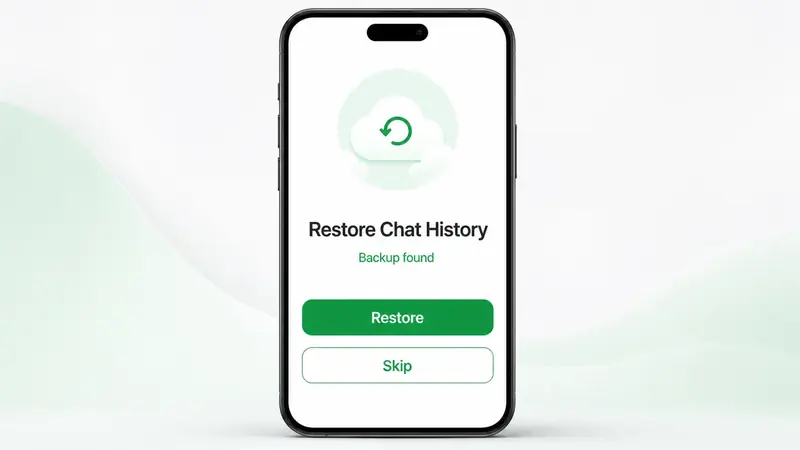
Yes - but with an important condition. If you have a backup, Google Drive on Android or iCloud on iPhone, that was created before the message was deleted, recovery is straightforward and reliable. If the message was deleted after your last backup, or you never had backups enabled, recovery becomes much harder - and on iPhone specifically, often not possible at all without a backup.
This distinction matters because it determines which method actually applies to your situation, so it is worth checking your backup status first before trying anything else.
This is the primary, official way to recover deleted messages, and it works the same way on both platforms: reinstalling WhatsApp and restoring from your most recent backup.
Uninstall WhatsApp, reinstall it from Google Play, verify your number, then tap Restore when WhatsApp finds your Google Drive backup.
Uninstall WhatsApp, reinstall it from the App Store, verify your number, then choose Restore Chat History when the iCloud backup prompt appears.
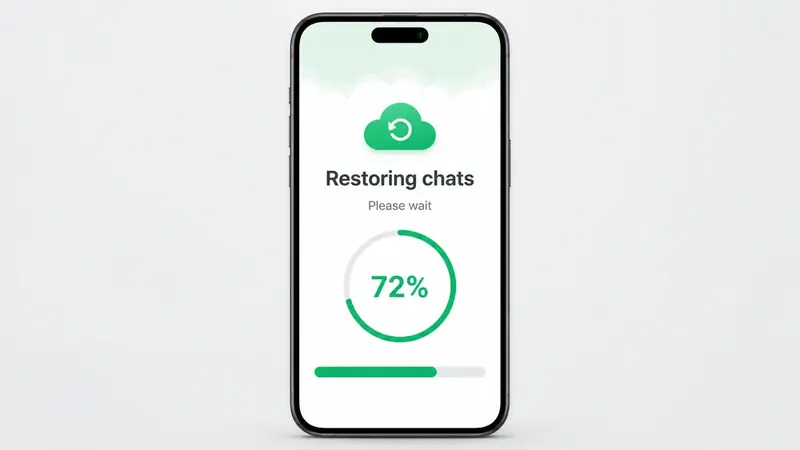
The important caveat: This method only recovers messages that existed at the time of your last backup. If the message was sent, received, or deleted after that backup was made, it will not be included in the restore - which is why checking your backup date first can save you an unnecessary reinstall.
Reinstalling WhatsApp without checking your backup status first can sometimes make things worse, since it may overwrite what is currently on your device. It is worth checking beforehand.
Open Google Drive, tap the menu icon and go to Backups. You can also open Google One, tap Storage > Other, and look for WhatsApp backups.
Go to Settings > your name > iCloud > Manage Storage > Backups, then look for WhatsApp and check the backup date and size.
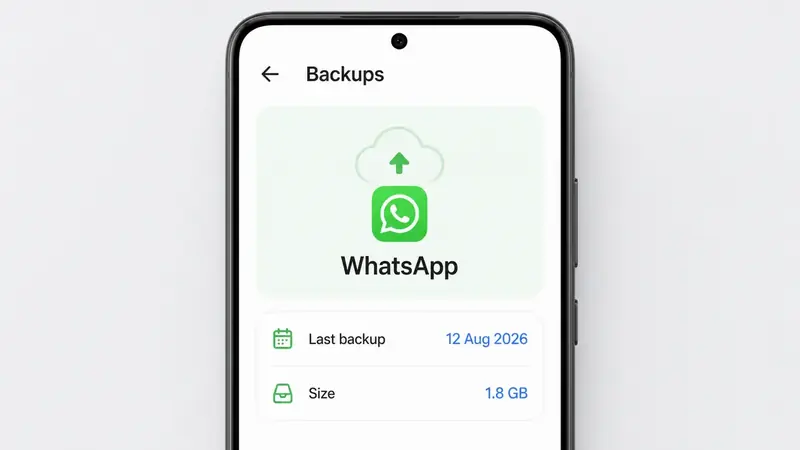
If your most recent backup predates the message you are trying to recover, a standard restore will not bring it back - you will need one of the alternative methods below instead.
If you are recovering messages after switching to a new device, rather than after a simple deletion, and your old phone still has the conversation intact, WhatsApp's built-in transfer tool is a strong option.
Keep in mind this method moves whatever still exists on the old device - it cannot bring back a chat that has already been deleted from both phones.
If you are on Android and do not have a backup covering the deleted message, there is one genuinely free option worth trying before anything else, especially if the deletion happened recently.
It is a limited tool, but it costs nothing and takes under a minute to check - worth trying before considering any paid recovery software.
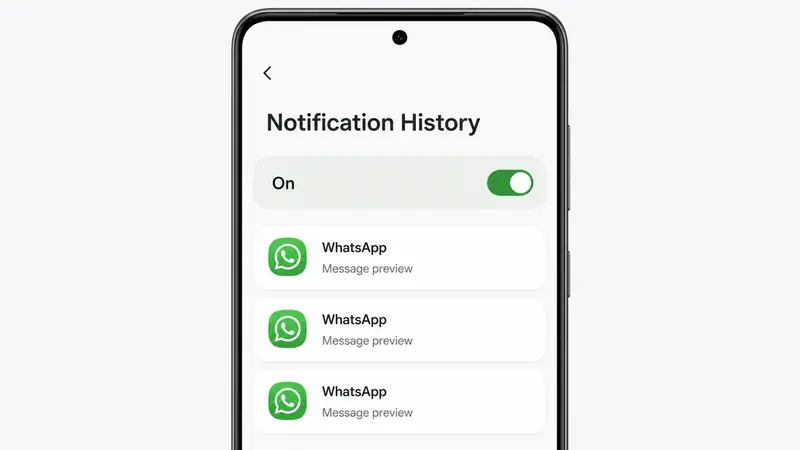
This is where expectations need to be realistic. Unlike Android, iOS does not offer a built-in notification history feature, and Apple's closed system architecture means there is no user-accessible way to dig through app data the way some Android workarounds allow.
The one option worth trying: if the message was deleted very recently and you have not cleared your notifications, swipe down from the top of your screen to open Notification Center and scroll through to see if the deleted message's notification is still visible. Beyond this, without an iCloud backup made before the deletion, recovery on iPhone is genuinely very difficult - most guides claiming otherwise are describing methods with a very low success rate.
It is easy to overlook, but often the fastest and most reliable fix: deleting a message or chat on your phone does not delete it from the other person's device. If you are trying to recover something you sent or received, simply asking the other person to forward it back or send a screenshot is frequently quicker and more reliable than any technical recovery method.
This will not help if both sides deleted the conversation, but it is worth checking before spending time on backup restores or recovery tools. For public updates that should not depend on one chat thread, learn how to use WhatsApp Channels.
You will come across tools like Dr.Fone and similar data recovery software that claim to extract deleted WhatsApp messages directly from your device's internal storage, even without a backup. It is worth understanding what these tools can and cannot realistically do before relying on one.
They sometimes recover local data if it has not been overwritten, but success depends heavily on how much you used the phone after deletion. Most are paid, and results are not guaranteed.
Avoid tools asking for your WhatsApp login credentials or verification code. Be especially skeptical of guaranteed recovery claims on iPhone without a backup.
If you decide to try one, stop using your phone as much as possible in the meantime - every bit of new activity reduces the chance that deleted data can still be found.
The best fix for this problem is preventing it before it happens. Both platforms let you enable automatic, regular backups:
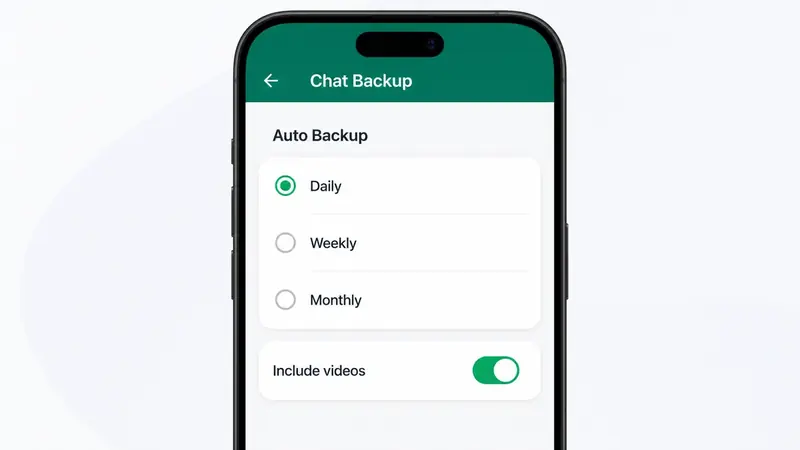
With daily backups enabled, you will never be more than a day's worth of messages away from a full recovery if something gets accidentally deleted in the future.
This is a different scenario from deleting a message on your own device. "Delete for Everyone" removes the message from both your chat and the recipient's chat, replacing it with a "This message was deleted" notice. Since it is removed from both sides, the backup and notification-history methods above are your best options if you had one in place before it happened - there is no built-in way to view the original content of a message deleted this way once it is gone from both devices.
For creative media you want to reuse instead of losing inside one chat thread, it can be smarter to save the source file and then create animated WhatsApp stickers from photos separately.
If there is one thing worth taking away from this guide, it is that backups are what actually make WhatsApp message recovery reliable - everything else, from notification history to asking the other person to third-party tools, is a limited backup plan for when you did not have one. If you have just lost an important message, check your backup date first, try the notification history trick on Android if relevant, and do not rule out simply asking the other person before reaching for recovery software.
And once you have recovered what you can, take two minutes to turn on Daily Auto Backup in WhatsApp settings - it is the one step that prevents this entire situation from happening again.
For fresh shareable updates after your chats are sorted, explore Latest WhatsApp Status ideas.
If you are also tightening privacy around your chats, start with how to hide your online status on WhatsApp.
For future follow-ups you do not want to forget after moving devices, you can schedule WhatsApp messages on Android.
Want to stay invisible on WhatsApp? Learn how to hide your online status, Last Seen, and Blue Ticks with this complete step-by-step privacy guide for Android and iPhone.
Learn how to schedule WhatsApp messages on Android using free third-party apps. Step-by-step guide, safety tips and what to expect from WhatsApp's upcoming native scheduler.
Explore practical guides to hosting, apps and everyday technology.