How to Fix Instagram Reels Not Getting Views
Reels stuck at 0 or low views? Learn how the 2026 Instagram Reels algorithm tests content, why views stall, and how to fix retention, SEO, audio and account status issues.

Instagram does not give you a built-in way to download a Reel as a clean video file. If you save through screen recording or some repost apps, you often end up with Instagram's watermark, the creator's username and a lower-quality video.
If you want to save your own Reels for editing, repurpose content you have permission to use or keep an offline copy of a public Reel before it disappears, there are legitimate ways to get a cleaner file. This guide explains the safest methods and the copyright rules you should remember before downloading anything that is not yours.
Whether you're a creator archiving your own posts for a portfolio, someone re-editing a Reel for a different platform, or simply want to keep a favorite video before it's taken down, the method you choose matters. Some third-party tools ask for your Instagram login or bury you in pop-up ads - this guide sticks to methods that are safe, watermark-free, and respect the original creator's rights.
Downloading a Reel does not give you ownership or reuse rights. The original creator keeps copyright over their content whether the file has a watermark or not.
Copyright law treats a Reel the same way it treats any other creative work - a photo, a song, or a written post. The moment someone films and uploads a video, they automatically own the rights to it, even if their account is public and the content is easy to find. A watermark is not what creates that ownership, and removing a watermark does not remove the legal protection either. This is the part people often get wrong: they assume no watermark means free to use, when really it just means the video file looks cleaner. If you are downloading for private, personal viewing, the risk is low. If you plan to repost, remix, or monetize someone else's Reel, that is where permission and credit genuinely matter.
Instagram's bookmark icon saves a Reel to a private collection inside the app. It does not download an actual video file to your phone or computer, so you still need Instagram and an internet connection to view it later.
If you try to reuse that saved Reel elsewhere through screen recording or reposting, the result may include Instagram branding, the creator handle and extra compression. That is why creators often search for no-watermark methods for their own content or permitted reuse.
This becomes a bigger problem for people managing multiple accounts or working on a laptop instead of a phone. Instagram's save feature is built entirely around its own app, so if you're a content creator, marketer, or someone archiving Reels for a client, you're stuck opening the app every time just to view something you already saved. There's no bulk export, no desktop access, and no way to move those Reels into an editing tool without going through extra steps first - which is exactly why so many people search for a proper download method instead.
When planning the next publication of your own original content, compare the best Instagram posting times in India with your audience Insights.
When uploading a new Reel, look for the Save original or Save video option in the sharing settings. Availability may vary by app version, but this is the easiest way to keep a watermark-free copy of your own Reel.
Instagram also lets you request a copy of your account data through Settings or Accounts Center. Your posts and Reels can be included in the export, which is useful for archiving your own content.
Between the two options, Save Original While Posting is the better habit to build going forward - it takes an extra few seconds during upload and saves you from ever needing a third-party tool for your own content. The data export method is slower since Instagram can take up to 48 hours to prepare the file, but it is useful if you're archiving months or years of old Reels at once rather than downloading them one by one. Once you've saved your own Reel, a free AI background remover for WhatsApp DP images can help you pull a clean frame from the video for a profile photo or thumbnail without needing separate editing software.
For public Reels where you have permission to reuse the content, or when you only need a personal offline copy, browser-based downloader tools are common. They usually work by taking a public Reel link and fetching a downloadable video file.
These tools typically work by reading the public metadata attached to a Reel's link and pulling the underlying video file, without needing you to log in or install anything. Because everything happens in the browser, there's nothing left behind on your device afterward, which is part of why this method is popular for one-off downloads. The trade-off is that quality and reliability vary a lot between tools - some strip audio, some cap resolution, and some stop working when Instagram updates its site structure, so it is worth having a backup option in mind.
A safer tool does not ask for your Instagram password, works directly in the browser, has a clear privacy policy and supports only public Reels.
Avoid tools asking for Instagram login details, pushing excessive pop-ups or requesting broad browser permissions unrelated to video downloading.
Find the Reel in the Instagram app or on Instagram's website.
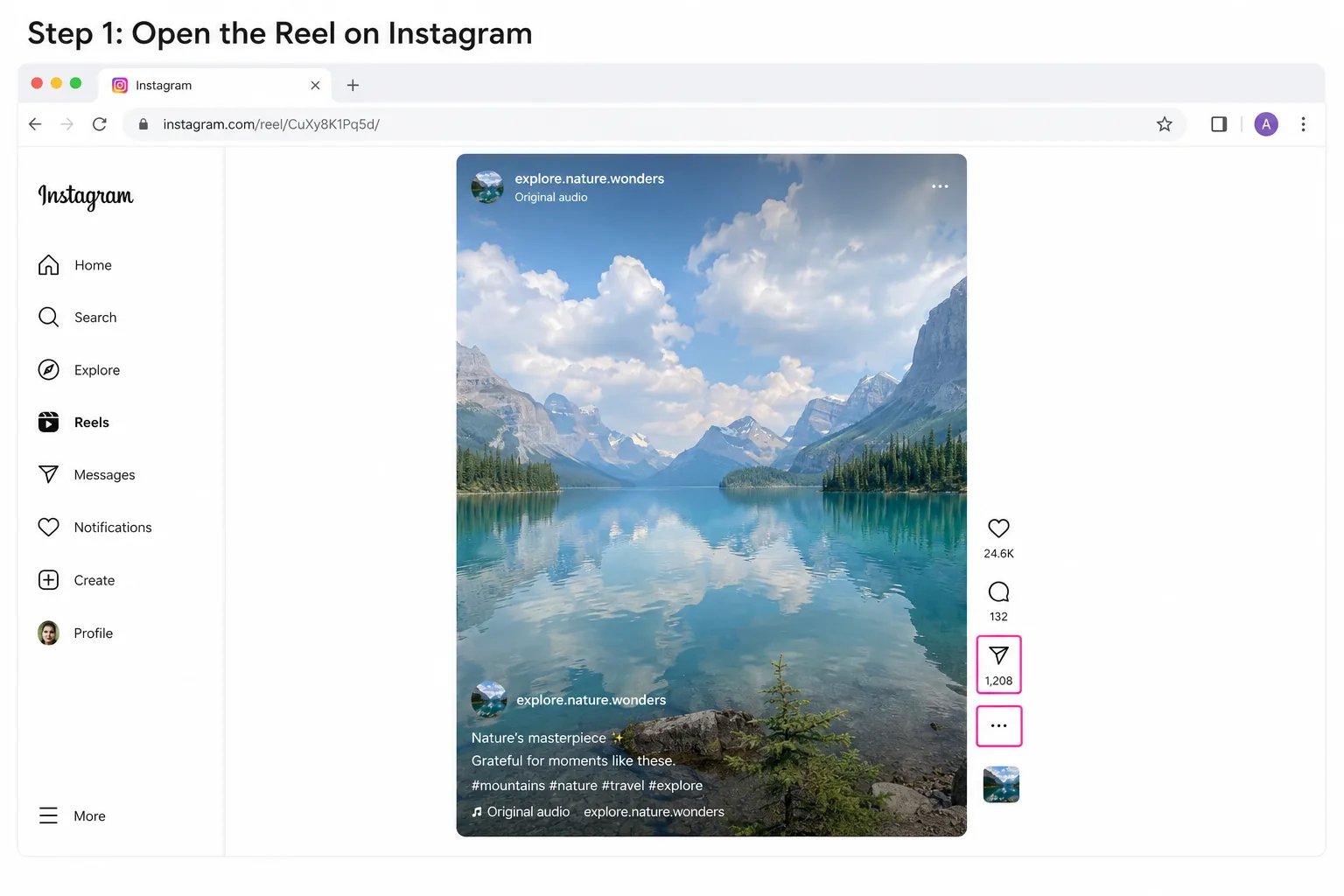
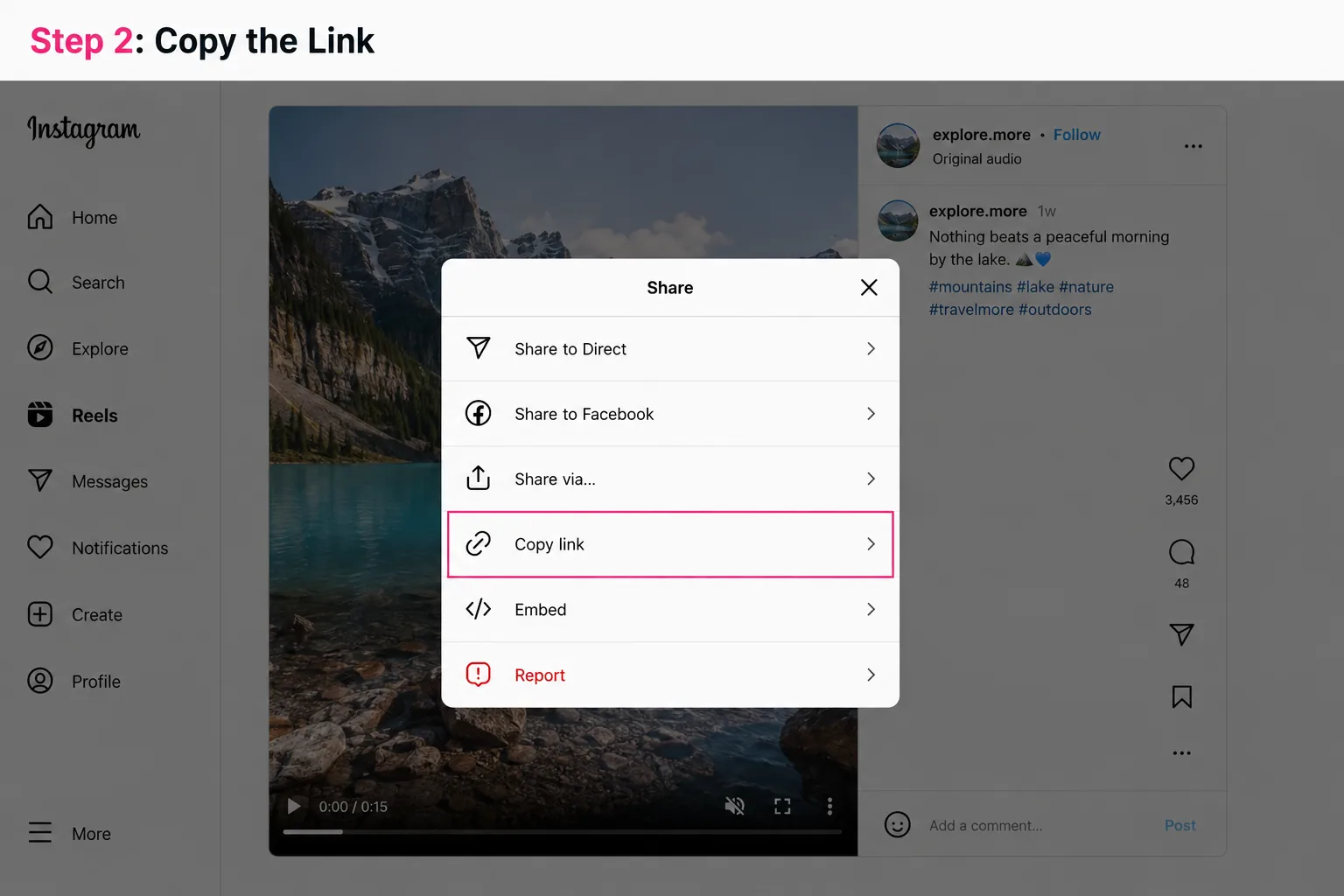
Tap the share icon or three-dot menu and choose Copy Link. On desktop, copy the URL from the browser address bar.
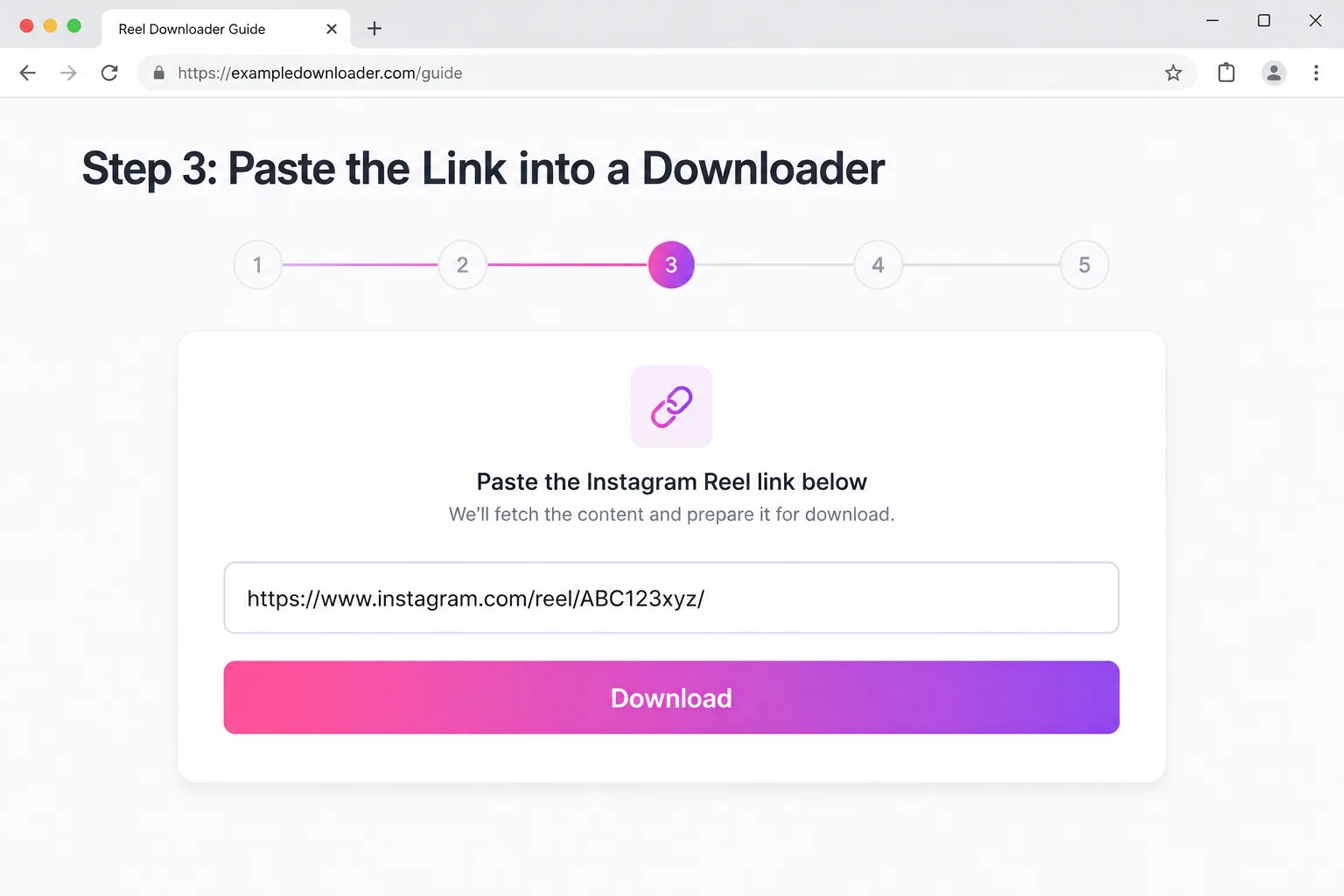
Open your chosen browser tool and paste the Reel URL into its input field.
Choose the available HD or MP4 option if the tool provides quality choices.
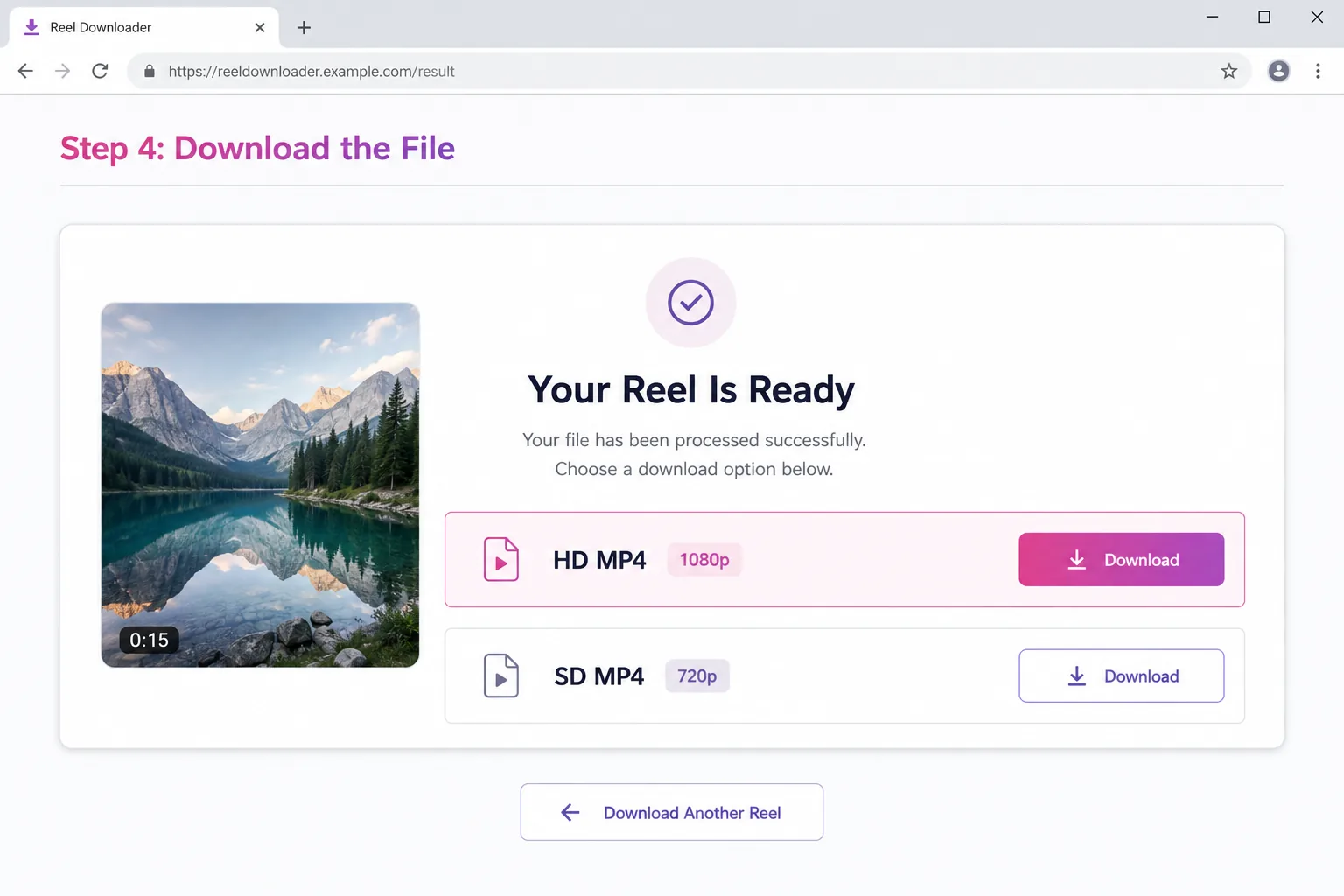
Save the file, but credit the creator or get permission before reposting content that is not yours.
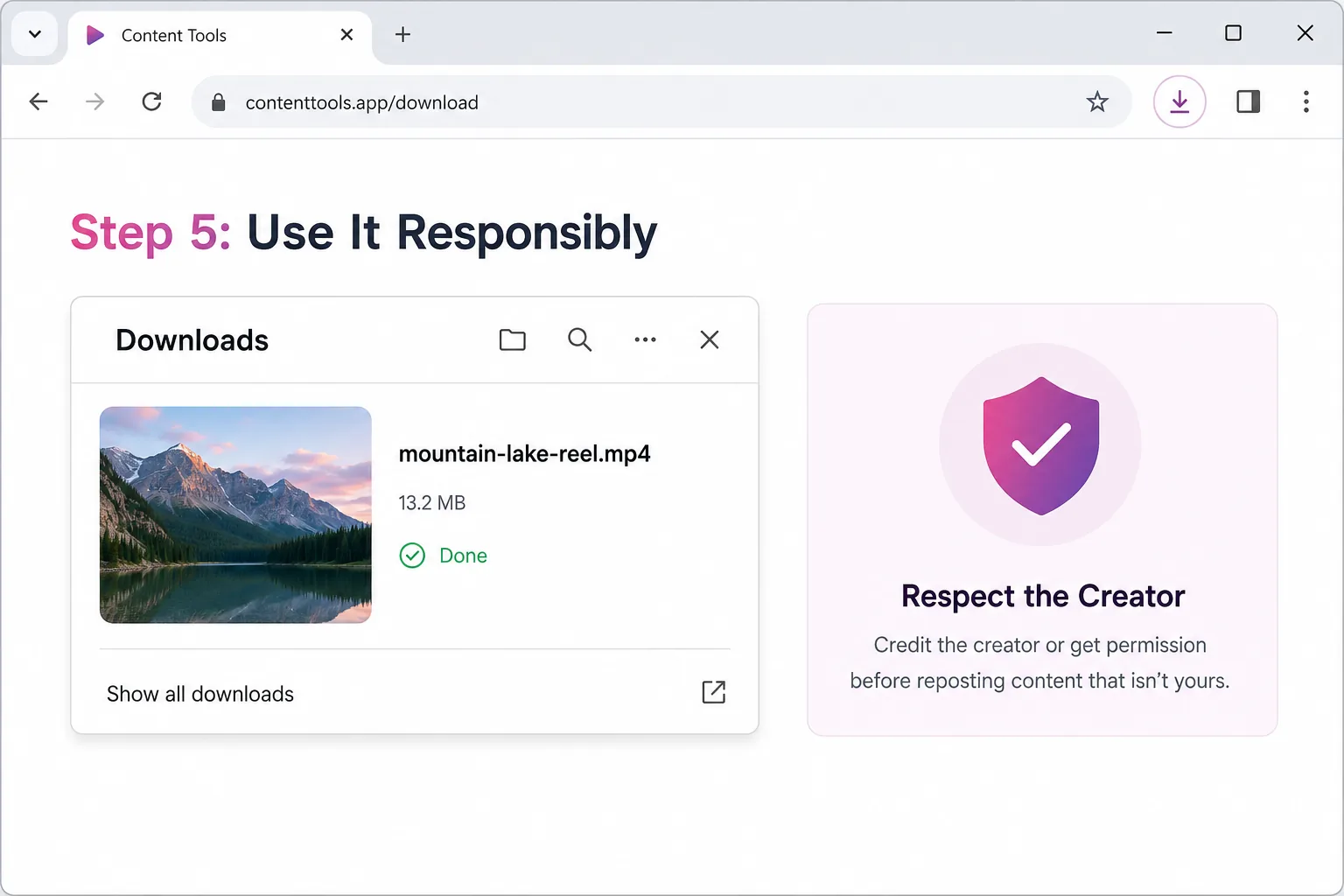
Some mobile apps offer Reel download features directly from your phone. Android usually has more choices in this category, while iPhone users often rely on browser-based tools through Safari or Chrome because App Store restrictions are stricter.
Use the same safety rule everywhere: avoid any app that asks for your Instagram username and password. A legitimate downloader should need only the public Reel link.
If repeated downloads have cluttered your computer, use a duplicate-file tool to find duplicate downloaded videos, retaining your original files.
If you work from a desktop or laptop, browser extensions can be faster than visiting a downloader website each time. They may add a download button while you browse Instagram in your browser.
Check extension permissions before installing anything. A video downloader should not need access to unrelated accounts, private data or every site you visit.
Before republishing your own content, understand why reposted Reels can get low views. Removing a watermark does not guarantee reach or give permission to reuse someone else’s work.
A no-watermark file is simply a cleaner video file without Instagram's logo or the poster's handle stamped onto the video. It does not transfer ownership, erase copyright or give you automatic permission to upload the content as your own.
If you plan to repurpose a Reel on another platform, the respectful practice is to credit the original creator with a caption mention, on-screen tag or direct permission.
A useful way to think about it: a watermark is like a name tag, not a lock. Removing the name tag does not unlock any new rights over the content - it just makes the video look native to whatever platform you're uploading it to next. Some creators are fine with their Reels being reshared as long as they're tagged or credited somewhere in the caption; others are not. When in doubt, a quick DM asking permission takes less time than dealing with a copyright strike or takedown request later.
Third-party downloader sites make money in one of two ways: ads, or your data. The safe ones are upfront about which one it is - usually ad-supported, free, and clear that they do not store your videos or login details. The riskier ones disguise data collection behind a free HD download promise, then ask for permissions that have nothing to do with downloading a video, like access to your contacts or full account access. A simple rule covers most of this: if a tool needs more than a public link to do its job, it is asking for more than it should. If privacy is a general concern for you online, it is also worth knowing how to hide your online status on WhatsApp so you control what others can see about your activity, not just what you download.
Getting a clean, watermark-free copy of an Instagram Reel is straightforward when you're saving your own content or archiving something you have permission to reuse. Start with Instagram's own options for your Reels, and if you use a third-party downloader for public content, avoid login requests and respect the creator's rights.
Explore More Guides
Reels stuck at 0 or low views? Learn how the 2026 Instagram Reels algorithm tests content, why views stall, and how to fix retention, SEO, audio and account status issues.
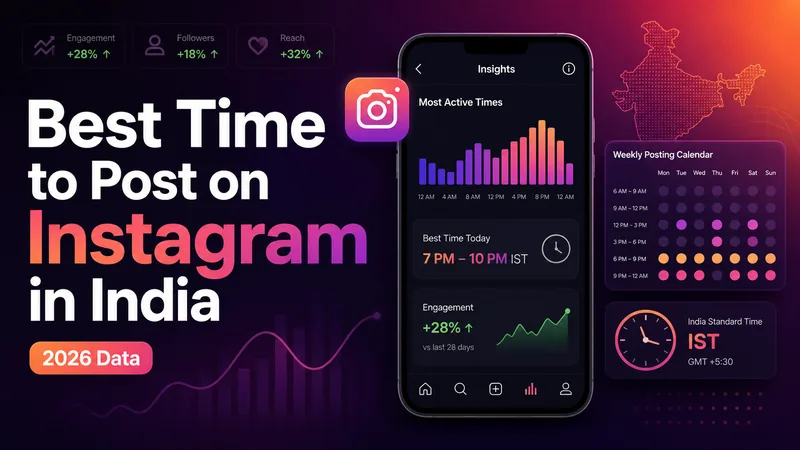
The definitive 2026 guide to the best time to post on Instagram in India, with IST slots by day, format, industry, city tier, and audience Insights.
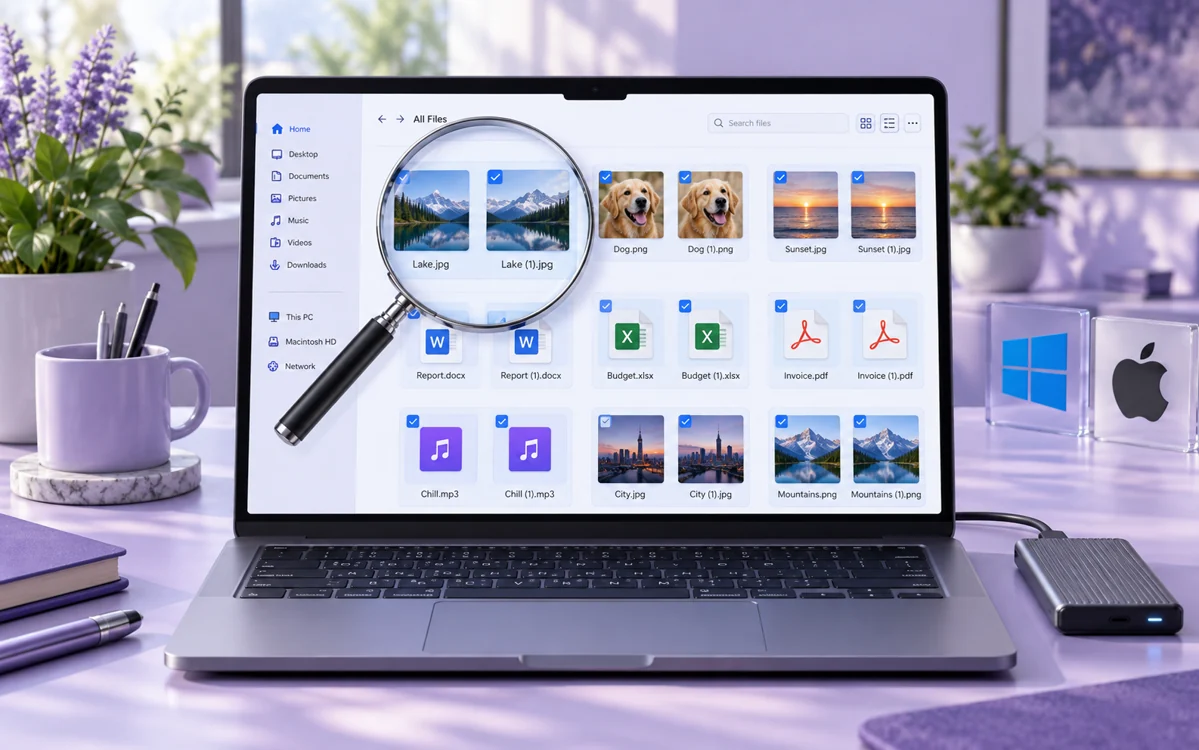
Looking for the best free duplicate file finder for Windows and Mac? Compare 10 tested tools that remove duplicate photos, songs, and documents and reclaim gigabytes of disk space safely.
Explore practical guides to hosting, apps and everyday technology.