AI Tools for Hindi Content Creators: Free & Paid Options (2026)
Discover the best AI tools for Hindi content creators in 2026: writing, voiceover, video, design and planning tools, both free and paid, compared in one guide.
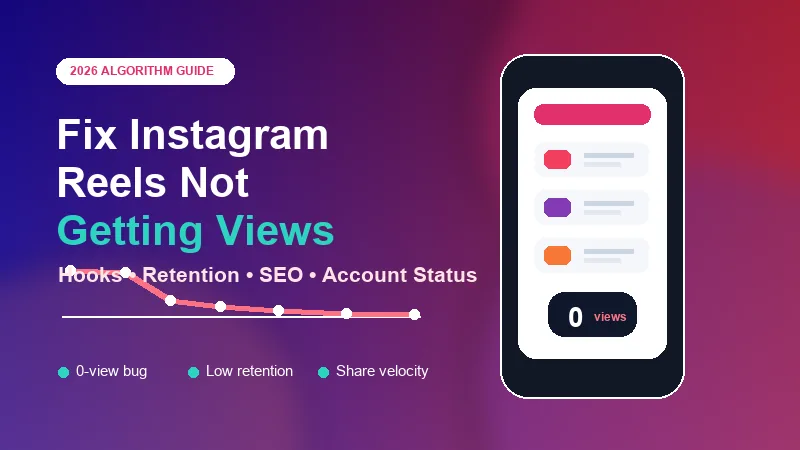
You script a Reel, record multiple takes, polish the edit, and hit publish. An hour later, you check the numbers expecting traction. Instead, you see 12 views, 4 views, or the dreaded 0 views.
When Reels flatline, many creators assume they are shadowbanned, Instagram is pushing them toward ads, or they missed a secret hashtag trick. Usually, the real answer is less mysterious and more mechanical.
Instagram distributes short videos by testing them in small batches, reading early viewer behavior, then deciding whether to expand or stop distribution. If your Reel is not getting views, one of those measurable checks is usually failing.
To fix low views, first understand what happens after you tap Share. Instagram does not immediately push every Reel to a massive audience. It ingests the file, classifies the content, tests it with a small seed audience, then scales or throttles it based on performance.
During the first few minutes, Instagram scans the video, audio, text overlays, metadata, copyright risk, quality, and policy signals.
The Reel is shown to a small audience of followers and likely interested non-followers. The system watches how quickly people swipe away or engage.
If the first group responds well, the Reel gets tested with larger pools on Reels, Explore, and recommendation surfaces.
If the initial cohort produces weak retention, no shares, poor completion, or policy uncertainty, distribution can stop quickly. That is why many low-performing Reels freeze between 0 and 200 views.
Not every interaction has the same value. Likes are useful, but they are usually weaker than actions that show a viewer found the Reel worth watching, saving, sharing, or discussing.
| Signal | Weight | Why It Matters |
|---|---|---|
| DM shares | Critical | A direct share tells Instagram the Reel is valuable enough to send to another person. |
| Watch-through rate | Critical | High completion and loops show the video held attention from start to finish. |
| Saves | High | Saves signal useful, educational, aesthetic, or reference-worthy content. |
| Replays and loops | High | Repeated viewing suggests dense information, curiosity, or strong entertainment value. |
| Comments | Moderate | Real conversations help, while spammy one-word comments are weaker. |
| Likes | Low | Likes are easy to give and rarely trigger broad reach on their own. |
Hindi and Hinglish creators can use AI tools for Hindi scripts and captions to develop alternative hooks, then test the results with their audience. Tools alone cannot guarantee reach.
The most common reason a Reel stalls is early drop-off. If your video starts with a slow transition, logo screen, generic greeting, or vague setup, viewers leave before Instagram has a reason to expand distribution.
A Reel can get likes and still fail if nobody sends it to a friend. In 2026, DM velocity is one of the strongest signs that a video deserves a wider recommendation test.
Create "this is so us" moments people naturally forward to a friend, coworker, partner, or group chat.
Share checklists, templates, tool stacks, travel plans, or step-by-step fixes people want to save or send.
Say something your audience already feels but has not been able to express clearly.
Instagram favors original, clean, high-quality vertical video. TikTok watermarks, CapCut end cards, blurry exports, and low-resolution files can reduce recommendation potential.
| Export Setting | Recommended Specification |
|---|---|
| Dimensions | 1080 x 1920 pixels, 9:16 vertical. |
| Frame rate | 30 fps or 60 fps, consistent throughout the edit. |
| Codec | H.264 / MP4. |
| Bitrate | 15-20 Mbps to reduce visible compression. |
| Audio | Clear stereo audio, ideally 48 kHz. |
| Upload setting | Turn on Upload at highest quality in Instagram data usage settings. |
If you are saving your own published clips for reuse, follow a clean workflow from our guide on how to download Instagram Reels without watermark.
Instagram needs to understand who your content is for. If one week you post fitness, then crypto, then cooking, then web design, the seed audience can become less accurate and early performance suffers.
Use the 80/20 content silo rule: keep around 80% of posts focused on your core niche, and reserve 20% for adjacent topics that still interest the same audience.
Hashtags are no longer the full discovery engine. Instagram also reads spoken words, captions, on-screen text, audio, and visual signals to understand what your Reel is about.
Good timing can also support early engagement. For India-focused audiences, use the posting windows in our guide to the best time to post on Instagram in India.
If your account has copyright flags, guideline issues, or recommendation restrictions, Instagram may show your content mostly to existing followers and withhold it from Explore or Reels recommendations.
Sometimes the Reel is distributing, but the visible counter has not updated. If you receive likes, comments, profile visits, or follows while views show 0, the issue is probably reporting latency rather than true suppression.
In that case, do not delete the Reel immediately. Give it 12-24 hours so cached metrics can update.
Poor voiceover, harsh background music, low microphone quality, or mismatched trending audio can push viewers away quickly. Clear original audio often beats generic music for education, B2B, tutorials, and creator advice.
Wait at least 48 hours after publishing, then open the Reel's Insights and look at retention. The shape of the drop-off curve tells you what to fix.
| Retention Pattern | Likely Problem | Fix |
|---|---|---|
| Sharp cliff at 0-3 seconds | The hook is weak, slow, confusing, or visually flat. | Rewrite the opening line, start with proof, and cut straight to the promise. |
| Drop at the midpoint | The middle drags, repeats points, or includes unnecessary setup. | Trim pauses, remove filler, add pattern interrupts, and tighten edits. |
| Strong retention but low reach | The video may lack shares, topical clarity, or account trust. | Add a clearer share trigger, improve caption SEO, and check Account Status. |
Do not delete and immediately upload the exact same file again. Repeated duplicate uploads can look spammy, and identical files may be detected as repeats.
| Area | Checklist Item |
|---|---|
| Visual quality | Export at 1080 x 1920, H.264, clean vertical format. |
| Watermarks | No TikTok logos, editing-app end cards, or third-party badges. |
| Upload quality | Highest-quality uploads are enabled in Instagram settings. |
| Safe zones | Important text is not hidden by profile handles, captions, or buttons. |
| First 2 seconds | The Reel opens on the action, result, mistake, or core promise. |
| Movement | A cut, zoom, angle change, text pop, or visual shift happens quickly. |
| Pacing | Dead air, long breaths, and repeated points are removed. |
| Captions | Subtitles are readable for sound-off viewers. |
| Keywords | The primary topic is spoken and written naturally. |
| Share trigger | The video gives viewers a reason to send it to someone. |
| Hashtags | Use 3-5 targeted tags instead of generic spam tags. |
| Account health | Account Status shows no recommendation restrictions. |
| Cover frame | The cover makes the topic clear in one glance. |
| Timing | The Reel is scheduled near your audience's active window. |
| After posting | You stay active for 20-30 minutes to reply to early comments. |
If your Instagram Reels are not getting views, start with the first three seconds, retention, share value, video quality, account status, and Instagram SEO. Once those signals are clean, timing and consistency can help your best videos travel much further.

Discover the best AI tools for Hindi content creators in 2026: writing, voiceover, video, design and planning tools, both free and paid, compared in one guide.
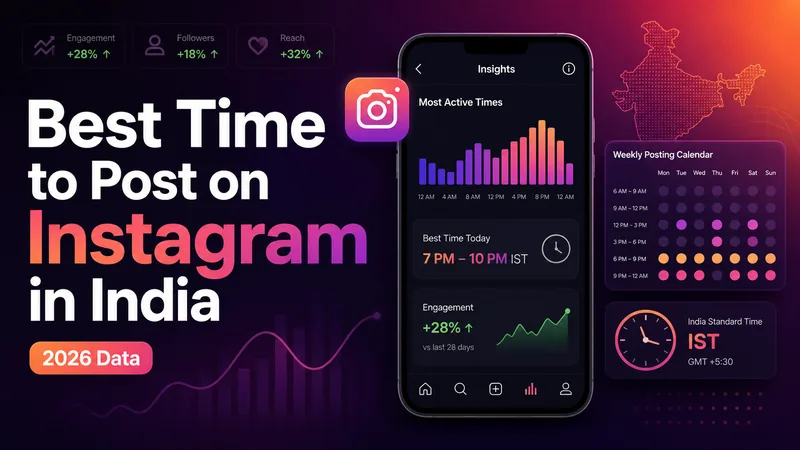
The definitive 2026 guide to the best time to post on Instagram in India, with IST slots by day, format, industry, city tier, and audience Insights.
Learn how to download Instagram Reels without a watermark the right way. Step-by-step methods, tool safety tips and what you need to know about copyright.
Explore practical guides to hosting, apps and everyday technology.