How to Fix Instagram Reels Not Getting Views
Reels stuck at 0 or low views? Learn how the 2026 Instagram Reels algorithm tests content, why views stall, and how to fix retention, SEO, audio and account status issues.

Creating content in Hindi used to mean choosing between two frustrating options: write everything manually, which takes hours, or use an AI tool built for English and hope the Hindi output does not sound stiff and translated.
The good news is that 2026 has brought a much stronger set of options. Some tools are built specifically for Indian languages, while others are now mature enough to handle Hindi and Hinglish naturally. This guide breaks down the best free and paid AI tools across every stage of content creation: writing, voiceover, video, design and planning.
What has changed most is not just tool quality - it is specialization. A few years ago, AI for Hindi meant running English prompts through a translator and cleaning up the results by hand. Now several tools are trained directly on Hindi and Hinglish patterns, which means fewer awkward literal translations and less manual editing before something is publish-ready. This guide focuses on tools that have actually held up for Hindi and Hinglish output, not just ones that technically support the language.
Not all AI tools handle Hindi equally well. Many popular writing tools were designed around English-first templates. When asked for Hindi, they may produce technically correct output that still feels too formal, translated or unnatural to a native reader.
Tools that are trained more deeply on Hindi and Hinglish content, or built specifically for Indian creators, tend to produce more natural results. This matters most for casual formats such as Reels captions, YouTube scripts, WhatsApp-style lines and conversational blog posts.
The difference shows up most in tone and rhythm. English-first tools tend to produce Hindi that is grammatically correct but reads like a translated document - formal sentence structures, textbook vocabulary, and phrasing no one actually speaks. Tools trained on Hindi and Hinglish content tend to mirror how creators actually write captions and scripts: shorter sentences, natural code-switching between Hindi and English words, and a conversational tone that does not need heavy editing before it goes live.
Writing is usually the first bottleneck for creators. Scripts, captions, blog posts and video outlines all start here.
ChatGPT is a versatile all-purpose writing tool that handles Hindi and Hinglish comfortably, especially with a clear tone prompt.
Gemini is a strong free option for creators already using Google Docs, Search and YouTube workflows.
Claude is useful for creative, narrative and emotional Hindi writing where tone matters more than template structure.
Likho is an India-first AI writing tool built around Hindi and regional-language blogging, with WordPress publishing on paid plans.
Writesonic is a budget-friendly writing platform focused on structured, SEO-oriented long-form content.
If you're choosing just one to start with, match the tool to your primary format rather than picking the best one overall. ChatGPT and Gemini are safer general picks if you're writing across formats - captions one day, blog outlines the next. Likho and Writesonic make more sense if long-form Hindi content, such as blogs and WordPress articles, is your main output, since both are built around structured, SEO-facing writing rather than short conversational text.
Voiceover is where Hindi AI tools have historically lagged furthest behind. Text generation is one thing, but natural pacing, intonation, and pronunciation in Hindi is a much harder problem, and most mainstream voice tools still default to accented or robotic-sounding output. ElevenLabs is currently one of the few that handles this well enough for regular publishing use, which is why it is the single recommendation here rather than a comparison table.
ElevenLabs is one of the strongest AI voice generators for creators who want consistent voiceovers without recording every script manually.
If an edited video still underperforms, use our guide to fix Instagram Reels that are not getting views to review its hook, retention and recommendation eligibility.
CapCut is a practical editing app for Reels and Shorts, with templates, captions, effects and fast mobile workflows.
InVideo can turn scripts or topics into rough video drafts with templates, stock footage and voiceover support.
Magicroll AI and similar multilingual video tools are useful for Hindi and Hinglish explainer or presenter-style content.
None of these tools are Hindi-specific in the way the writing tools are. Video editing AI is still largely language-agnostic, focused on cuts, templates, and pacing rather than script content. The Hindi and Hinglish quality that matters for video usually comes from the script you feed in beforehand, from one of the writing tools above, not from the video tool itself.
Thumbnail and design tools do not really have a language problem the way writing and voice tools do, since most of the work is visual. What matters more for Hindi creators is template availability for regional formats - festival posts, Hindi typography, and vertical formats built for Reels and Shorts. Canva currently leads here simply because of template volume, not because competitors handle Hindi poorly.
Before designing a cover from a low-quality photograph, compare free AI photo enhancer apps to improve the source image.
Canva remains one of the most practical tools for thumbnails, Reels covers, carousel posts and simple creator graphics. Magic Write can help draft design text directly inside the workflow.
This is the one category where language quality barely matters, since planning tools are mostly organizing your own content calendar, ideas, and drafts rather than generating anything publish-ready. Notion AI is included here less as a best AI tool pick and more as a practical workspace layer that sits on top of everything else in this guide.
When organizing your content calendar, compare the best times to post on Instagram in India with your own audience activity.
Notion AI is not only for writing. It helps creators manage calendars, idea banks, outlines, summaries and planning documents in one workspace.
| Tool | Category | Free/Paid | Hindi Quality | Best For |
|---|---|---|---|---|
| ChatGPT | Writing | Free tier + paid | Strong Hinglish | General-purpose writing |
| Google Gemini | Writing | Free | Good | Google ecosystem users |
| Claude | Writing | Free tier + paid | Strong, natural | Storytelling and creative tone |
| Likho | Writing | Free tier + paid | Built for Hindi | Hindi blogging and WordPress |
| Writesonic | Writing | Paid | Good with prompting | SEO long-form content |
| ElevenLabs | Voiceover | Free tier + paid | Natural voice output | YouTube and podcast voiceover |
| CapCut | Video editing | Free | N/A | Reels and Shorts editing |
| InVideo | Video creation | Free tier + paid | Good | Script-to-video drafts |
| Magicroll AI | Video | Paid-leaning | Built for Hindi/Hinglish | News and explainer video |
| Canva AI | Design | Free tier + paid | Good with prompting | Thumbnails and graphics |
| Notion AI | Planning | Free tier + paid | N/A | Content calendar and planning |
For most solo Hindi creators just starting out, free tiers across ChatGPT, Gemini, Canva and CapCut are enough to publish consistent content. Paid tiers start to matter when you need voice cloning, high-volume content production, watermark-free exports, better templates or team workflows.
A smart approach is to test two or three free tools from different categories first. Pay only when the tool saves clear time, improves quality or unlocks a feature you repeatedly need.
A good signal for when to upgrade: if you're re-editing AI output by hand more than once or twice per piece, the free tier is costing you time rather than saving it. That is usually the point where a paid plan - for tone consistency, voice cloning, or higher-quality exports - pays for itself in hours saved rather than just features unlocked.
Even the best tool will sound stiff if the prompt itself is vague or purely instructional. A few small habits make a bigger difference than switching tools entirely:
If your Hindi content business also includes a newsletter, compare email marketing tools for creators for subscriber management and distribution.
The AI landscape for Hindi content creators has matured — no more settling for stiff, translated-sounding output. Whether you write scripts, generate voiceovers, edit Reels or design thumbnails, there's now a free or affordable AI tool that helps you create faster while keeping your Hindi and Hinglish voice natural.
Explore More Guides
Reels stuck at 0 or low views? Learn how the 2026 Instagram Reels algorithm tests content, why views stall, and how to fix retention, SEO, audio and account status issues.
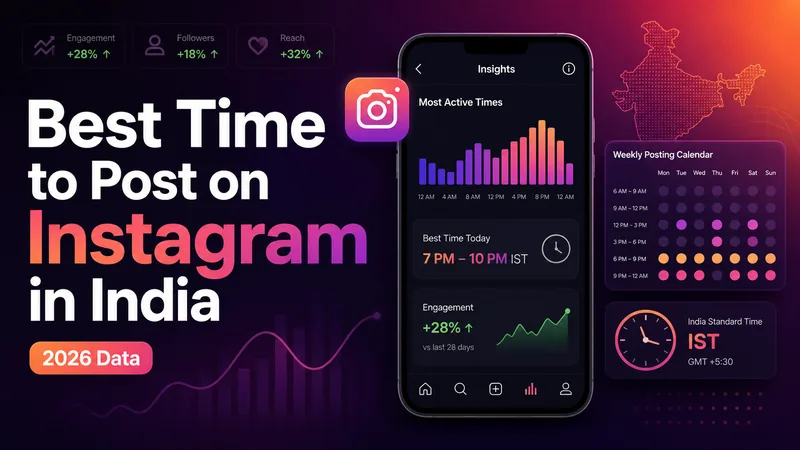
The definitive 2026 guide to the best time to post on Instagram in India, with IST slots by day, format, industry, city tier, and audience Insights.
Compare the top free AI photo enhancer apps for old and blurry photos, including Remini, YouCam Enhance, Fotor, Picsart, Snapseed, Upscale.media, and more.
Explore practical guides to hosting, apps and everyday technology.