How to Download Instagram Reels Without Watermark
Learn how to download Instagram Reels without a watermark the right way. Step-by-step methods, tool safety tips and what you need to know about copyright.
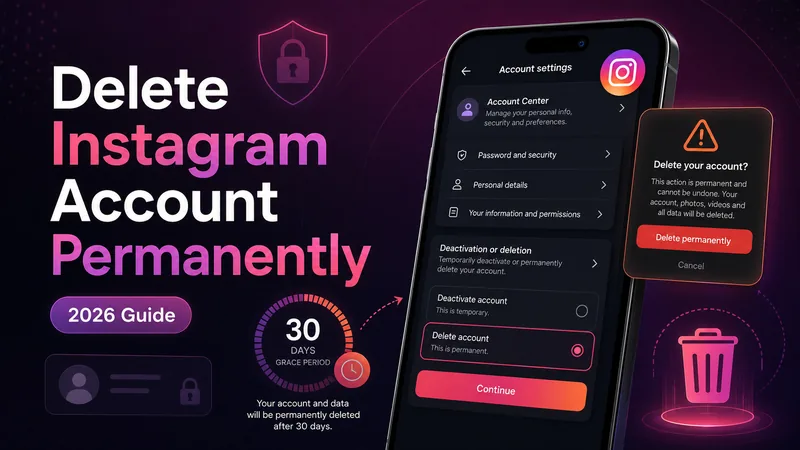
Whether you're taking a break from social media, dealing with privacy concerns, or simply done scrolling for good, deleting your Instagram account is a bigger decision than it looks.
It permanently removes your profile, photos, videos, comments, likes, and followers - and once the process completes, there is no way to undo it.
Instagram has also changed how this works in recent years. Deletion and deactivation now happen through Meta's Accounts Center rather than the old direct settings pages many outdated guides still describe. This guide walks through the current, correct process for 2026, along with the details most quick guides skip, like what actually happens to your data and why the 30-day wait exists.
Before touching any settings, it is worth being clear on which one you actually want. These two options get mixed up constantly, and people often end up disappointed by the one they picked.
Your profile, photos, comments, and likes are hidden from other users, but nothing is deleted. Log back in anytime and everything returns exactly as it was. You can only deactivate once every 7 days.
After the mandatory 30-day grace period, your account and everything in it - photos, videos, stories, Reels, comments, likes, followers, and following lists - is permanently removed.
If there is any chance you might want to come back, deactivation is the safer starting point. If you are certain, deletion is the way to go - just make sure to back up anything you want to keep first.
Once your export is safely backed up, you may review duplicate files in your downloaded archive. Keep the original archive and never delete your only copy.
For individual videos, you can also save your own Instagram Reels before deletion. This supplements rather than replaces a complete account-data export.
Since deletion is irreversible after the grace period ends, downloading a copy of your data first is strongly worth doing, even if you are confident about your decision.
Once your account is permanently deleted, this data is gone for good. There is no customer support process that can retrieve it after the deletion window closes.
It is worth understanding exactly what deletion does and does not cover, since a few things are easy to assume incorrectly.
Instagram says account deletion begins after 30 days, but the full deletion process can take up to 90 days in the background. During that extra processing period, the account should no longer be visible to other Instagram users.
Here is the current process as of 2026, using Meta's Accounts Center.
Once confirmed, your account enters the 30-day grace period described below.
If you have decided a pause makes more sense than permanent deletion, the path is nearly identical up until the final step.
Your profile disappears from view immediately, and logging back in at any point fully restores it. Remember the once-every-7-days limit if you plan to do this regularly.
Once you confirm deletion, Instagram does not erase everything immediately. Instead, your account enters a mandatory 30-day grace period, and there is currently no way to skip or shorten it.
This delay exists to prevent people from permanently deleting their account in a moment of frustration they might regret the next day. If you are certain about deleting, complete the deletion steps, then do not log back in for 30 days.
Instagram requires password confirmation as part of the deletion process, so if you have lost access, you will need to recover your account first.
If you have also lost access to the email and phone number linked to the account, Meta's broader account recovery support process is the remaining route back in.
If you have come across a tutorial pointing you to a direct link like instagram.com/accounts/remove and it is not working, that is expected. Meta has moved this process into Accounts Center, and many older guides have not been updated to reflect it.
The screens also look nearly identical whether you are using the mobile app or a desktop browser, so use whichever device you are most comfortable navigating and follow the Accounts Center path outlined above. You can also cross-check the official Instagram Help Center page on deleting your Instagram account.
Deleting your Instagram account is straightforward once you know the current path: Settings, Accounts Center, Account Ownership and Control, Deactivation or Deletion. But it is a decision worth making carefully, given how permanent it is once the 30-day window closes. If you are even slightly unsure, deactivating first is the lower-risk option. If you are certain, back up your data before you start, complete the deletion steps, and stay logged out for the full 30 days to let the process finish.

Learn how to download Instagram Reels without a watermark the right way. Step-by-step methods, tool safety tips and what you need to know about copyright.

Instagram won't tell you who unfollowed you - but here's exactly how to find out anyway, using free methods that don't put your account at risk.
Explore practical guides to hosting, apps and everyday technology.